
Your clients,
actually served.
Don't let servicing be the reason why you lose clients.
Make servicing be the reason why you get referred.
WHO IT'S FOR
Two people use it
The same app serves someone you're still trying to close and someone whose policy has been in force for six years.
A prospect sees
A client sees
- Where they are in the process, and what's next
- What you still need from them
- Documents to sign, signed right in the app
- A way to reach you without playing phone tag
- A link straight to their carrier's portal
- A button to request a change to their policy
- The status of anything already in progress
- Your calendar, when they want to talk
THE PROSPECT PATH
From first contact to in force
How someone gets from an intake link to a policy on your book.
- 01
You send an intake link
The prospect fills out an intake questionnaire with everything you'd need to take their case to a carrier.
- 02
They land on your pipeline
Their answers come back to you as a case you can work, and they're invited to download the app.
- 03
They can see where they stand
Instead of calling you for updates, they open the app and see the stage they're in and what's still needed from them.
- 04
They sign in the app
Application and underwriting documents get signed where they already are, not in an email thread.
- 05
They become a client
When the policy issues, they move into your book of business and the app becomes their servicing channel.
IN THE APP
What clients can do
Three things that used to require a phone call to you.
POLICY ACCESS
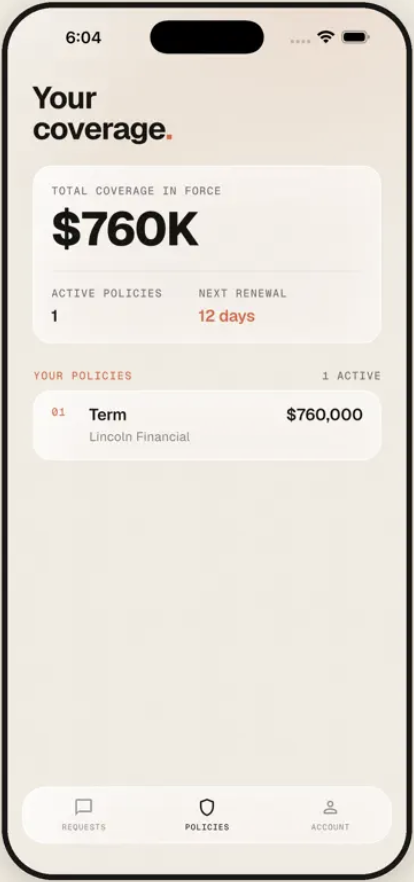
Their whole policy, at a glance
Most clients couldn't tell you which carrier holds their policy, let alone how much coverage they have. The app shows them: total coverage in force, every policy and its carrier, and when the next renewal is due, with no calling you to ask.
- Total coverage in force and active policy count
- Each policy with its carrier and face amount
- Next renewal date, so nothing sneaks up on them
REQUESTS
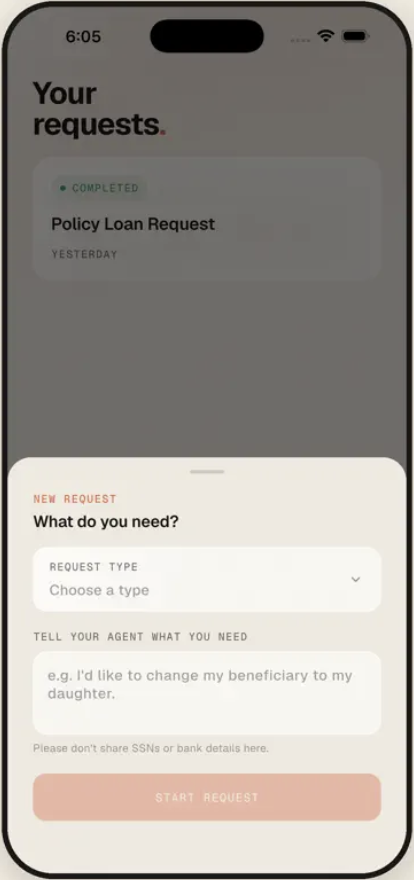
A change request without a phone call
A client taps request servicing, tells us what they need, and the request lands in your queue already started. You see it move; so do they.
- Requests start from the client's side, not your inbox
- Clients can see the status of anything in progress
- Everything stays attached to their record
ACCESS TO YOU
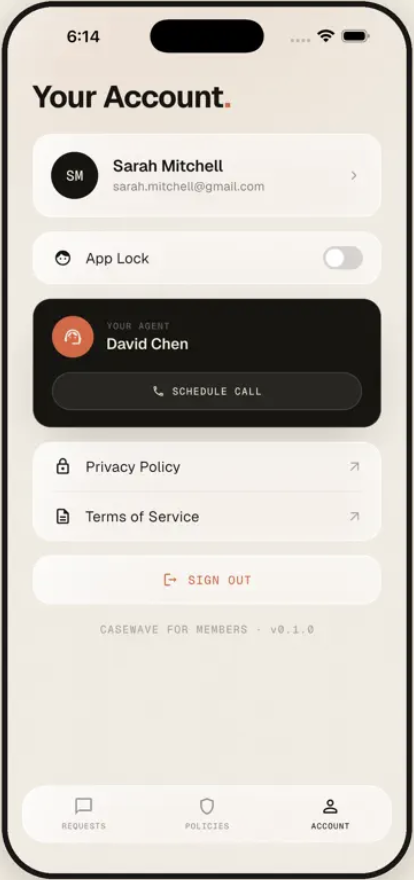
Your name, your calendar
Your information sits throughout the app, and your scheduling link is built in. When a client wants to talk, they book time instead of leaving a voicemail.
- Your details visible to your clients throughout
- Your own scheduling link, set once in settings
- Clients book time instead of chasing you
ONBOARDING
Getting your clients in
Two ways, depending on whether they're already on your book.
NEW PROSPECTS
Send an intake link
Send a prospect the intake questionnaire. Their answers come back as a case you can take to carriers, and they're invited into the app to follow along and sign what's needed.
EXISTING BOOK
Import and invite
Upload your book from a CSV or an export from your current system, then invite your clients into the app. They get access to their policies and a way to reach you; you get a book that stays served.
QUESTIONS
Common questions
What agents ask about putting an app in front of their clients.
Is the app branded to me?
The app is called Casewave, and your information appears throughout it so your clients know exactly whose client they are. It's your name they see when they open it.
Can clients see payment or banking information?
No. Payment details are handled through the e-signature and carrier process, not stored or displayed in the client app.
What if a client won't download an app?
You can still run every request yourself from your own account. The client app makes servicing easier when clients use it, but nothing depends on it.
Do prospects and clients use the same app?
Yes. A prospect sees their application progress and any documents waiting on them. Once the policy issues, the same app becomes where they reach their policy and request changes.
How do clients get access?
You invite them, either through an intake link when they're a new prospect, or by importing your existing book and inviting those clients in. The Casewave app is available on the App Store and Google Play.
START SELLING MORE